
If you have ever noticed a tiny green light at the top of your phone screen and shrugged it off, you may want to look again. On modern iPhones and Android phones, that speck of color is your early warning system that an app is using the camera or microphone in real time.
If it shows up when you are not on a call or taking a photo, it can be a sign that something on your device is watching or listening when it should not.
How it works on iPhone and Android
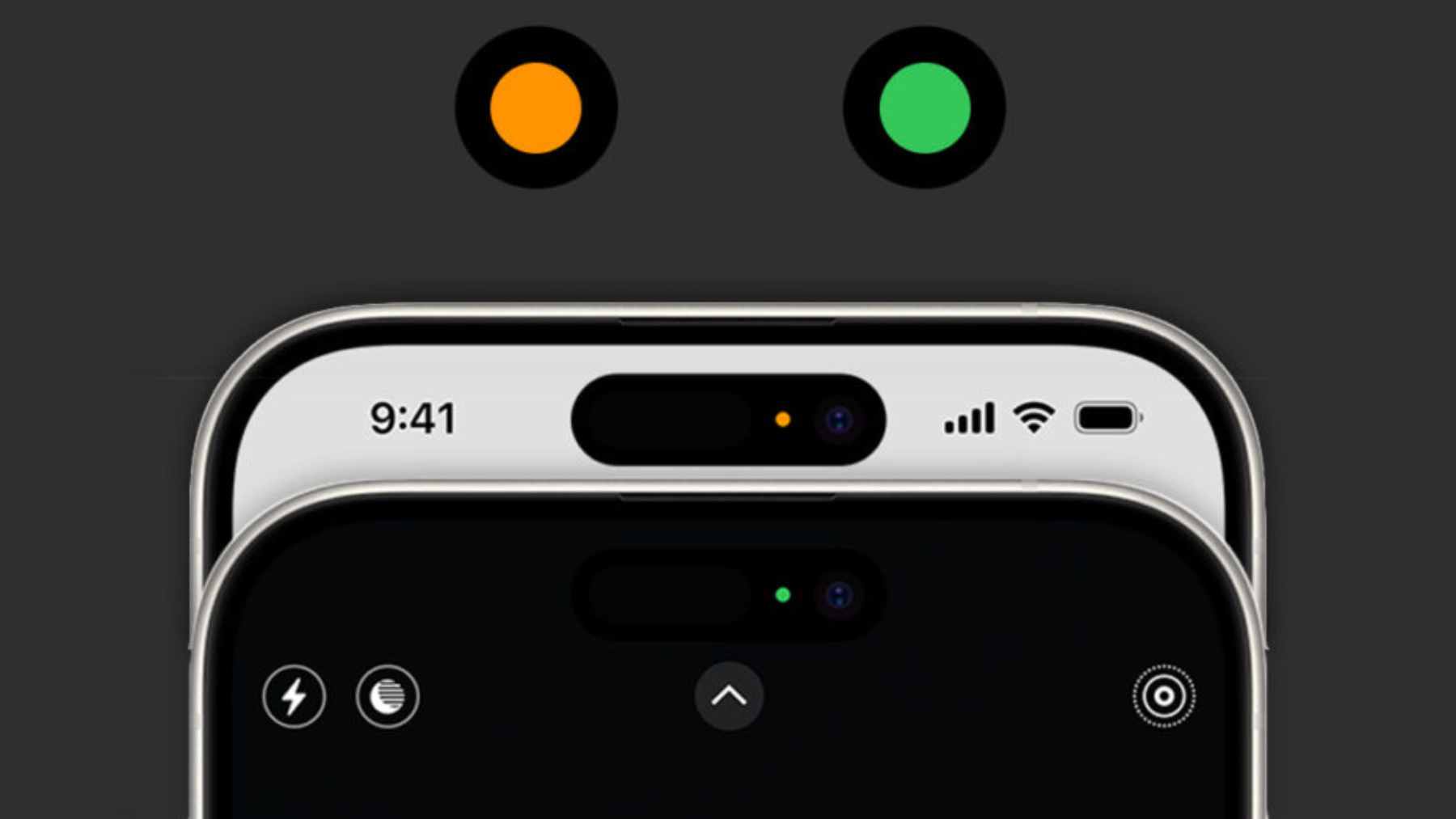
On recent iPhone models, a green indicator means an app is using the camera, possibly together with the microphone. An orange indicator signals microphone use on its own.
Apple explains that you can swipe down to open the Control Center and see exactly which app triggered the light, then adjust permissions in the Privacy and Security section of Settings if something feels off.
Android phones running version 12 or later show a similar green indicator in the status bar whenever an app accesses the camera or microphone. Swiping down from the top of the screen expands the icon so you can tap it, see which app is active, and jump straight into permission settings or the Privacy Dashboard.
On some devices, related icons also appear when an app uses location.
When the green dot is normal and when it is not
If you are on a video call, recording a voice message, or snapping selfies, the dot is simply confirming what you already know. The trouble starts when the indicator appears while your phone is just sitting on the table or when you are only scrolling social media.
In that case, experts advise checking the notification shade or Control Center to see which app is active, force closing anything suspicious, and then tightening camera, microphone, and location permissions. Android users can also run a reputable mobile security scan if odd behavior continues.
Why this alert exists at all
Privacy indicators did not appear out of nowhere. Over the past decade, regulators uncovered seemingly simple apps, including flashlight tools, that quietly collected precise location data and device identifiers and passed them to advertisers without clear consent.
The United States Federal Trade Commission settled with one popular flashlight app developer after finding that users were kept in the dark about how their data was shared.
In response to growing concern about hidden tracking, companies like Apple and Google now present these bright, simple indicators so that people can spot unwanted snooping at a glance and act before more data leaks out.
The official statement was published on the Apple Support website.